
As a foreigner residing in Taiwan, fulfilling your tax obligations doesn’t have to be a daunting task. With the convenience of e-filing, you can efficiently manage your annual tax declaration using your Health Insurance Card and password. Follow this step-by-step guide to navigate the process seamlessly.
Step 0: Familiarize Yourself with E-Filing and Tax Payment Services
Before beginning the e-filing process, visit the official website of the National Taxation Bureau of Taiwan to gather essential information here
Step 1: Register for a New NHI Account
If you don’t already have one, register for a new account on the National Health Insurance (NHI) platform here. Refer to Figure 1 for guidance.
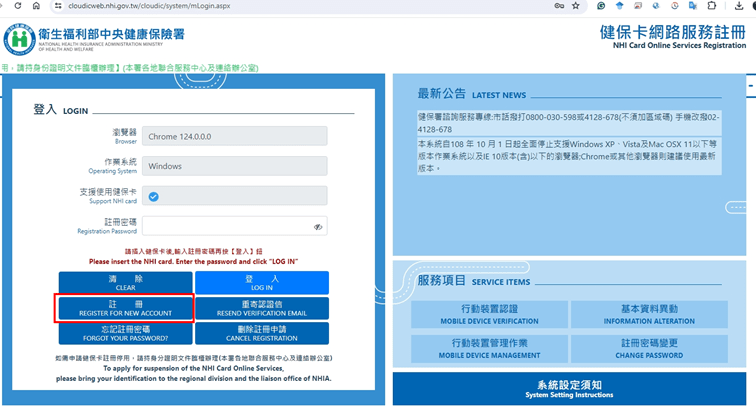
Figure 1: Register new account
Step 2: Download the Necessary Software or Use a Web-based Platform
Download the required software for e-filing your taxes or access the web-based platform here. Get acquainted with the systems using the user guides provided for reference. I got a PDF instruction in 2022, you can get it here for your reference

Step 3: Filling the Tax Return
A. Via Web-based Platform:
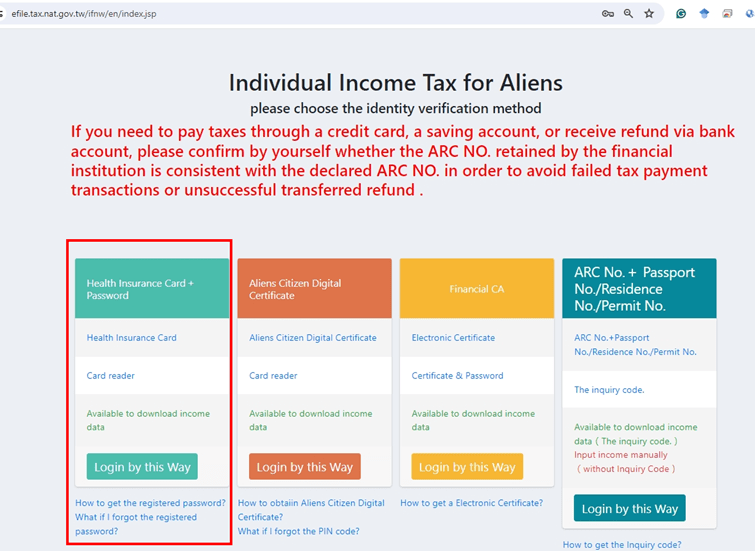
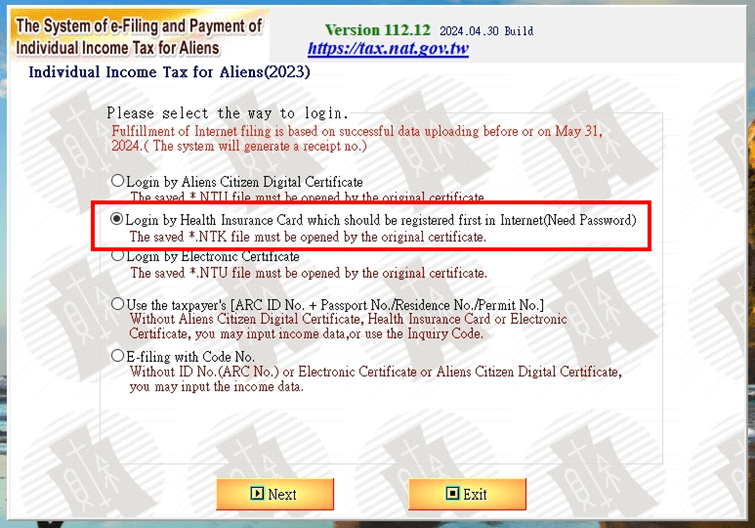
- Refer to Figure 3 to select the login method, preferably using your Health Insurance Card and password for convenience.
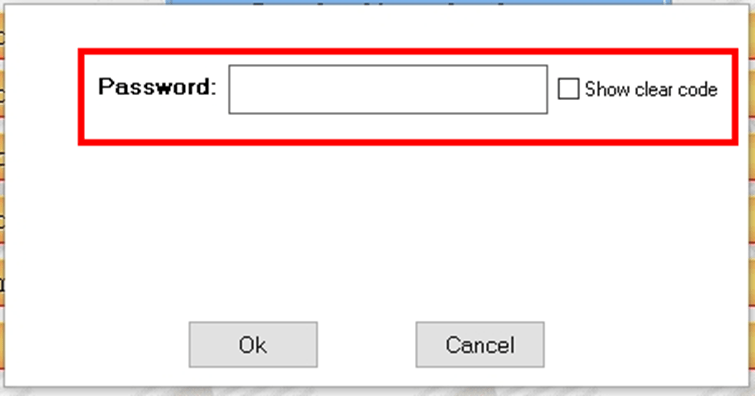
- Input your ARC ID and NHI password as shown in Figure 4 to access the system.
- Follow the system prompts to fill out your tax return accurately. Refer to Figure 5 for guidance.


B. Via Mobile App:
- Access the tax filing app and select the login option as depicted in Figure 6.
- Enter your ARC ID on the login page (Figure 7) and follow the prompts to download your data (Figure 8).
- Input your NHI password (Figure 9) to proceed to the tax system.


Step 4: Download Your Data
Follow the instructions provided in the system guide to download your tax data securely.
Step 5: Payment
Choose your preferred payment method, whether credit card, Mastercard, or cash, to settle your tax dues.
Step 6: Check Payment Status
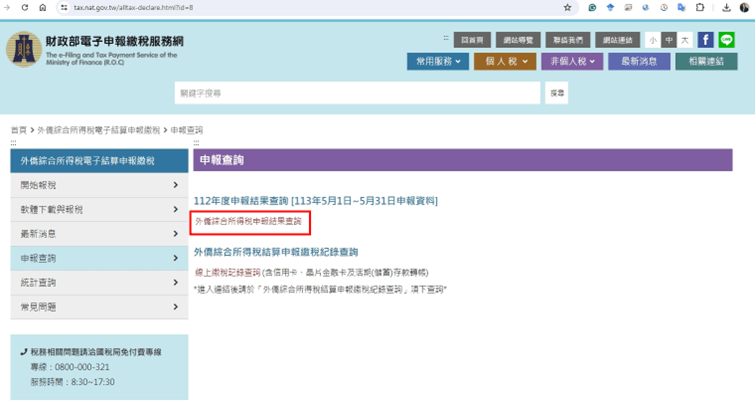
Verify the status of your payment by visiting this. Input your information into the system as shown in Figure 10 and Figure 11 to check your payment status.

Conclusion:
By following these straightforward steps, you can efficiently complete your tax declaration and payment obligations as a foreigner in Taiwan. Good luck, and may you have a pleasant day ahead!
 PHAN KHAC HAI