Introduction:
In the world of wireless sensor networks, gateways play a pivotal role in connecting nodes to servers. While most gateways rely on LAN or Internet protocols for communication, some installations lack Internet connectivity, making it necessary to integrate a 4G module into your gateway. In this article, I will share a step-by-step guide for installing the Quectel EC25 (LTE CAT 4) module and introduce the source for creating an EVB (Evaluation Board) Kit for your gateway device, enabling seamless 4G internet connectivity for your application.
Before going further, please check the two articles Jeff Geerling and Sixfab to install the 4G LTE module on Raspberry Pi. I have followed their instructions and succeeded so you can follow them too. Please note that I have tested successfully on Raspberry Pi 3A, 4B, and CM4.
Setting Up the Hardware:
Before proceeding with the EVB Kit setup, ensure that you have tested the hardware components individually to avoid any complications later on. The components used in this project were sourced from reputable manufacturers, Raspberry Pi Ltd (Mann Enterprises Ltd) and Quectel, and are highly recommended for their reliability and affordability.
The hardware components used are as follows:
- Raspberry Pi Compute Module 4 (Lite): Purchase from The Pi Hut
- Raspberry Pi Compute Module 4 IO Board: Purchase from The Pi Hut
- Quectel EC25 (LTE CAT 4) module: Purchase from Quectel
- Quectel EVB KIT: Purchase from Quectel
- SIM IoT: Purchase from Taiwan Mobile (for SIM card)
Installation and Testing:
1. Raspberry Pi Setup
- Carefully install the Raspberry Pi Compute Module 4 onto the IO board.
- Use the Pi Imager tool to load the operating system for CM4 via a micro SD memory card.
- Power on the Raspberry Pi using a 12VDC power supply, and verify that the LEDs (D1 and D2) on the IO board light up. Refer to Jeff Geerling’s article for more details.
2. Quectel 4G Module Setup
- Appropriately install the PCIE 4G LTE module on the EVB Kit.
- Insert the SIM card and antenna into the EVB Kit and 4G module.
- Download and install the Qnavigator software on a PC to test the device’s functionality. The Qnavigator software allows you to check the device’s status and ensure it’s working correctly. The figure below shows the status of the device connection, it’s successfully installed and ready to use.

If all the devices are tested successfully, please go for the next step to install the Internet on Raspberry Pi via Quectel EC25 Module. There are two methods of Internet connection that I’ve tested OK namely QMI mode (wwan0) and ECM mode (usb0). However, I will present the steps to install QMI interface in this article only since it’s a little bit complicated. As for the ECM mode, please to the article here for more detail.
Configuring the QMI Mode:
The next step involves configuring the QMI (wwan0) mode for the 4G module on Raspberry Pi. QMI mode offers a robust internet connection and is relatively complex to set up. The link here presents the complete step-by-step to install QMI interface. Alternative, you can follow the steps below:
- Ensure the 4G module is correctly configured
Send the AT command AT+QCFG=”usbnet” and verify that it returns 0. If it returns 1, send AT+QCFG=”usbnet”,0 and then AT+CFUN=1,1 to reboot the module after 10 seconds. Please note this step should be performed on a PC via Qnavigator. - Check the connection between 4G module and Raspberry Pi.
The wiring between 4G module and Raspberry Pi is shown in the Figure below:

type a command: lsusb
You should see something like below:

- Install QMI on Raspberry Pi
- Download the QMI Installer script from Sixfab’s GitHub repository.
wget https://raw.githubusercontent.com/sixfab/Sixfab_QMI_Installer/main/qmi_install.sh - Change the permissions of the script using chmod +x qmi_install.sh
- Run the script using sudo ./qmi_install.sh to install QMI.

- Establish Internet connection via QMI
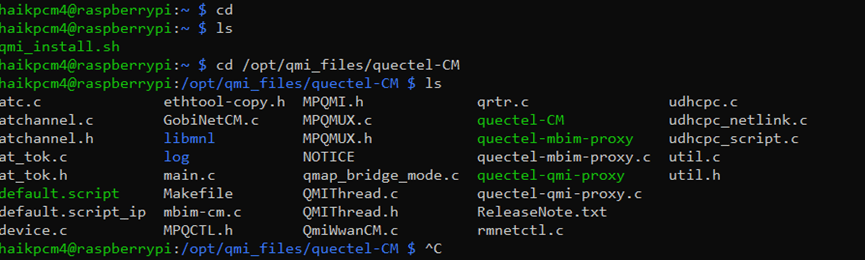
- Navigate to /opt/qmi_files/quectel-CM after system reboot.
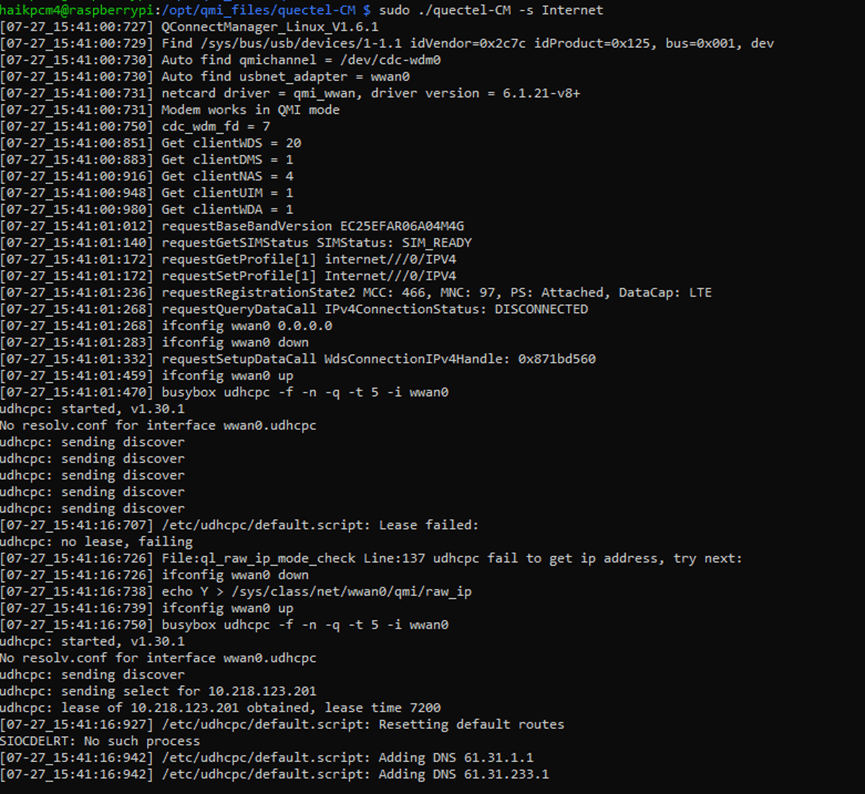
- Use the command sudo ./quectel-CM -s <YOUR APN> to establish the Internet connection.
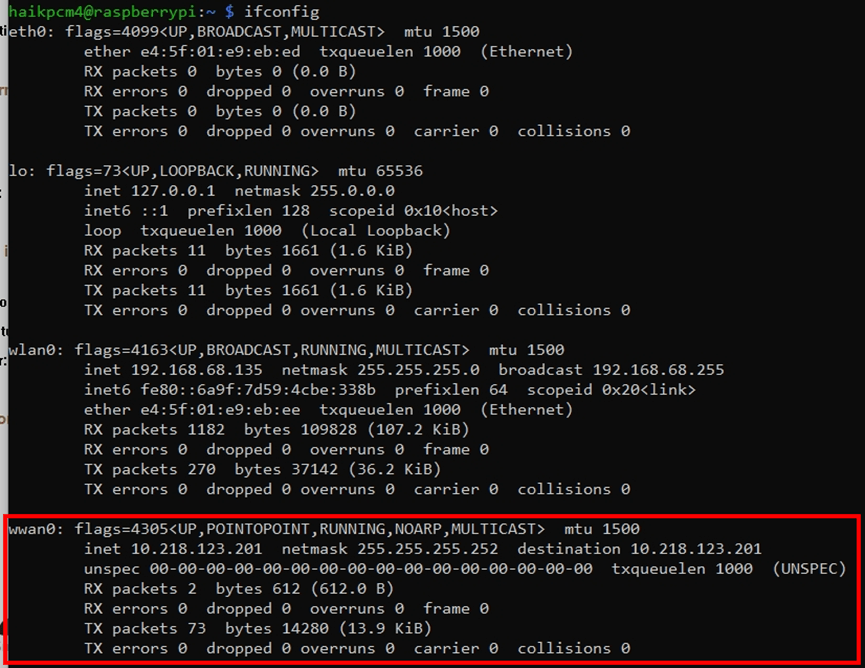
5. Check the assigned IP address.
- Set up Auto Reconnection on Reboot
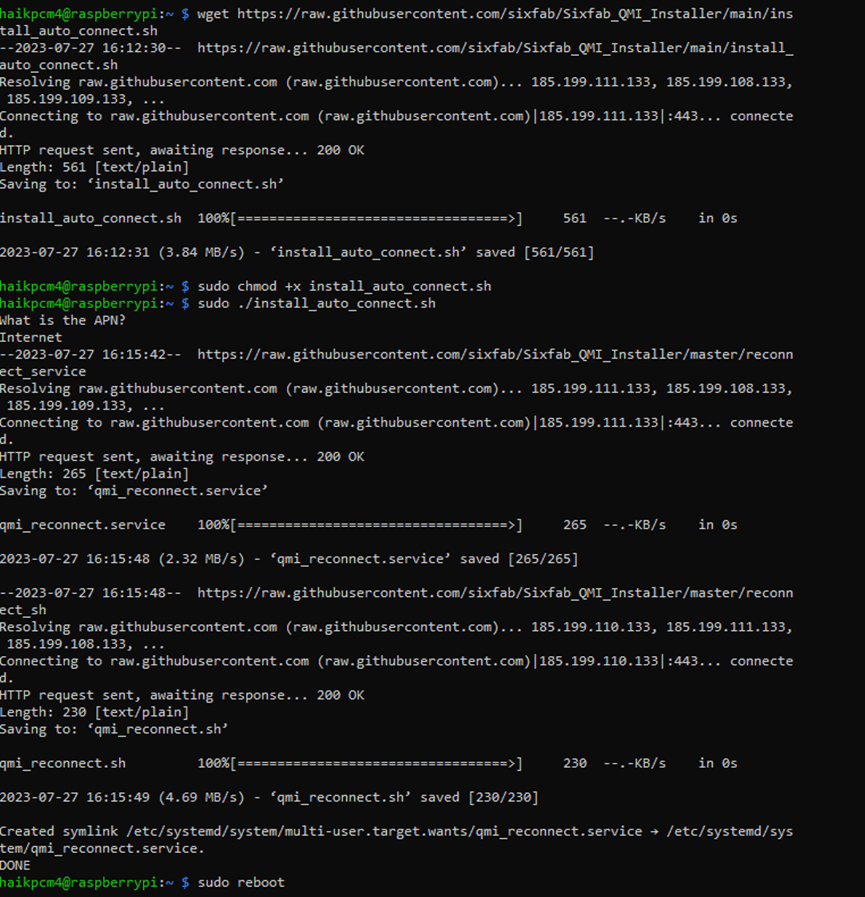
- Download the QMI auto connect installer file and change its permissions.
wget https://raw.githubusercontent.com/sixfab/Sixfab_QMI_Installer/main/install_auto_connect.sh (Download the QMI auto connect installer file)
cmd: sudo chmod +x install_auto_connect.sh - Run the installer using sudo ./install_auto_connect.sh to enable auto reconnection.
- Manage the Auto-Connect/Reconnect Service
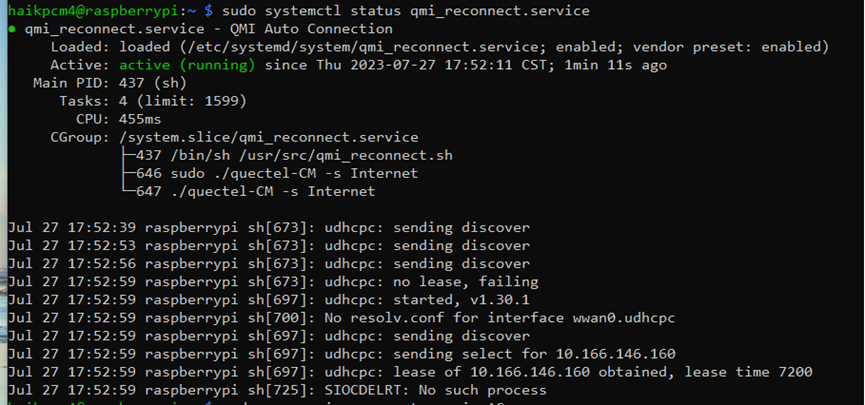
- Check the status of the service using sudo systemctl status qmi_reconnect.service.

- If the service fails to connect, modify the file qmi_reconnect.service in /etc/systemd/system/ with your Pi name.
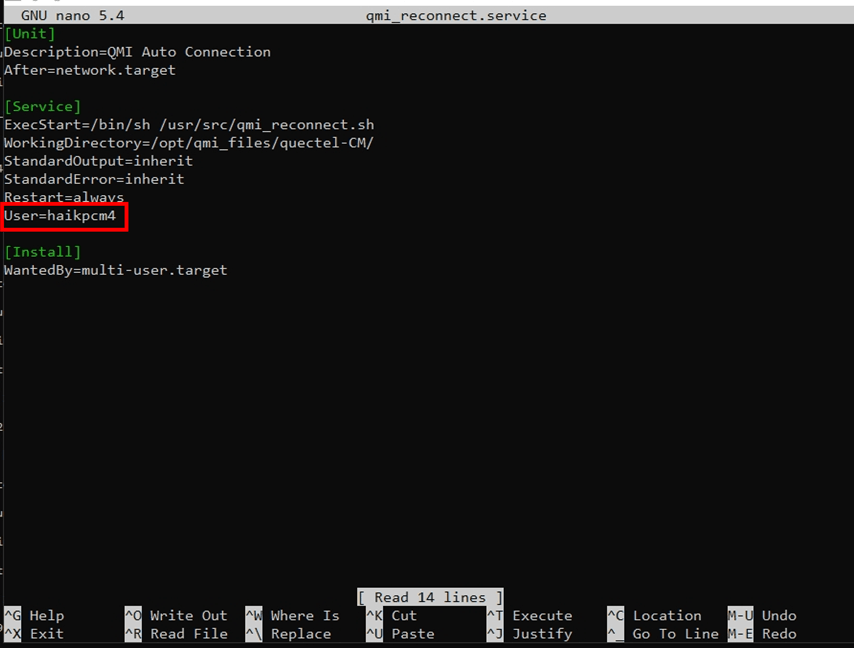
- Recheck the service status, and if successful, stop and start the service using the appropriate commands.
cmd: sudo systemctl stop qmi_reconnect.service (stop the service)
cmd: sudo systemctl start qmi_reconnect.service (start the service)
Creating a 4G EVB Kit for Your Application
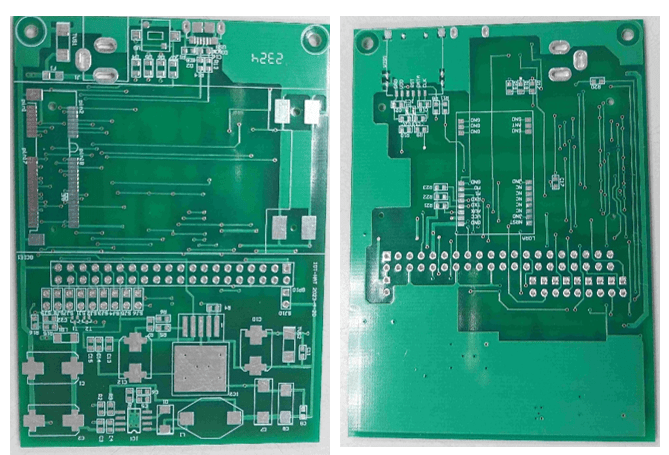
To enhance the functionality of your gateway device, consider creating a custom 4G EVB Kit. Sixfab provides an excellent 4G LTE Base Hat circuit design, which you can reference for your specific requirements here. Modify the design to include additional modules or alter power supply circuits to suit your application’s needs. My current PCB is shown below for your reference.
Conclusion
Integrating the Quectel EC25 module into your Raspberry Pi gateway provides a seamless and reliable 4G internet connection for your IoT application. By following the step-by-step guide and setting up the QMI mode, you can ensure a robust internet connection via the 4G module. Additionally, customizing your own 4G EVB Kit allows you to tailor the gateway device to meet your unique application demands. Enjoy your journey of exploration and innovation in the world of IoT! If you have any questions or need further assistance, feel free to leave a comment below or contact me directly here. Happy building!
 PHAN KHAC HAI